
Anúncios
Metal detector apps have transformed smartphones into practical tools for finding hidden metallic objects, combining technology with everyday convenience. 🔍
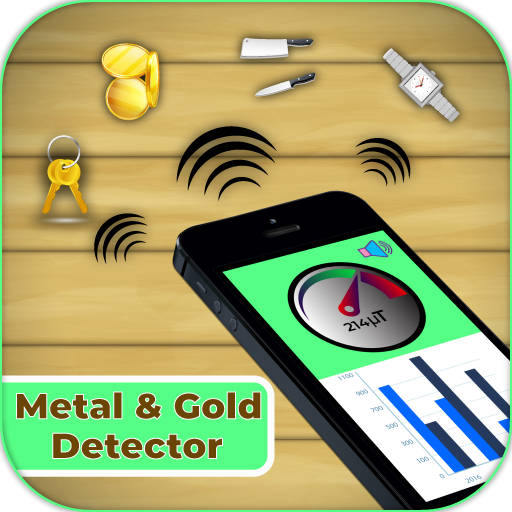
Whether you’re a hobbyist treasure hunter, a DIY enthusiast working on home renovations, or simply curious about what lies beneath surfaces, metal detector applications offer surprising functionality. These apps utilize the built-in magnetometer sensor present in most modern smartphones to detect magnetic fields generated by metallic objects.
Anúncios


The technology behind these applications might seem complex, but the concept is remarkably straightforward. Your smartphone already contains sensors designed to assist with navigation and orientation. Metal detector apps harness these same sensors to identify fluctuations in magnetic fields, alerting you when metal is nearby. This ingenious repurposing of existing hardware has opened up new possibilities for both practical applications and recreational activities.
How Metal Detector Apps Actually Work ⚙️
The core functionality of metal detector applications relies on the magnetometer sensor embedded in your smartphone. This sensor, originally designed to power compass applications and improve GPS accuracy, measures the strength and direction of magnetic fields in the surrounding environment.
Anúncios
When a metallic object enters the detection range, it creates disturbances in the natural magnetic field. The magnetometer picks up these changes, and the app translates this data into visual or auditory signals. Most applications display the magnetic field strength in microteslas (µT), with higher readings indicating the presence of ferromagnetic materials like iron, steel, or nickel.
The sensitivity of detection varies based on several factors. The size and composition of the metal object play significant roles, as do the quality of your smartphone’s sensor and environmental interference. Larger metal objects naturally generate stronger magnetic signatures, making them easier to detect from greater distances.
It’s important to understand that smartphone-based metal detectors have limitations compared to professional equipment. They work best with ferromagnetic metals and may struggle with non-ferrous metals like aluminum, copper, or gold, which produce weaker magnetic fields. The typical detection range extends only a few inches, though this can vary depending on the object’s size and material.
Practical Applications for Everyday Life 🏠
Metal detector apps serve numerous practical purposes beyond treasure hunting. Homeowners frequently use them to locate studs, pipes, and electrical wiring hidden behind walls before drilling. This simple precaution can prevent costly mistakes and potential safety hazards during home improvement projects.
Construction workers and contractors have adopted these applications as quick reference tools on job sites. While they shouldn’t replace professional detection equipment for critical tasks, they provide convenient preliminary checks when more sophisticated tools aren’t immediately available.
Security-conscious individuals use metal detector apps to scan for hidden surveillance devices or verify the authenticity of objects. Though not foolproof, these applications can identify unusual metallic components in unexpected locations, potentially revealing concealed cameras or recording devices.
Educational settings benefit from these apps as well. Teachers use them to demonstrate magnetic principles and engage students in hands-on science experiments. The immediate visual feedback helps learners understand abstract concepts about magnetism and electromagnetic fields in tangible ways.
Choosing the Right Metal Detector Application 📱
The app stores overflow with metal detector applications, each claiming superior performance. Selecting the right one requires understanding what features genuinely enhance functionality versus those that merely add visual appeal.
The best metal detector apps prioritize accurate sensor readings and clear data presentation. Look for applications that display magnetic field measurements in real-time, offer calibration options, and provide both visual and auditory alerts. User-friendly interfaces make the detection process more intuitive, especially for beginners.
Free applications often include advertisements, which can interrupt the detection process at inconvenient moments. Premium versions typically remove ads and unlock additional features like detection history, customizable sensitivity settings, and enhanced visualization modes. Consider whether these extra features justify the cost based on your intended usage frequency.
User reviews provide valuable insights into real-world performance. Pay attention to comments about accuracy, battery consumption, and compatibility with different phone models. Apps with regular updates typically offer better performance and bug fixes, indicating active developer support.
Key Features to Look For ✨
- Real-time magnetic field display: Shows current readings in microteslas for precise measurements
- Calibration options: Allows you to zero out environmental interference for more accurate detection
- Sound alerts: Provides auditory feedback that increases in frequency as you approach metal objects
- Graph visualization: Displays magnetic field fluctuations over time for better pattern recognition
- Material indicators: Suggests likely metal types based on magnetic signature patterns
- History tracking: Records previous detections for reference and comparison
- Customizable sensitivity: Adjusts detection thresholds for different use cases
Maximizing Detection Accuracy and Performance 🎯
Getting optimal results from metal detector apps requires understanding how to use them effectively. Proper technique and environmental awareness significantly impact detection accuracy.
Begin by calibrating your app in an area free from metallic objects. This establishes a baseline reading for the ambient magnetic field. Most quality applications include a calibration button or perform this automatically when launched. This step filters out environmental noise and improves detection precision.
Hold your smartphone parallel to the surface you’re scanning, maintaining consistent distance and speed. Moving too quickly can cause you to miss subtle magnetic field changes, while moving too slowly makes it difficult to identify detection patterns. A steady, sweeping motion at a moderate pace works best.
Remove any magnetic phone cases or accessories before using the app. These items interfere with sensor readings, creating false positives or masking genuine metal signatures. Even small magnetic components can significantly distort measurements given the sensor’s proximity to the phone case.
Environmental factors affect performance considerably. Electronic devices, electrical wiring, and large metal structures create background magnetic interference. When possible, conduct searches away from these sources. If that’s not feasible, take baseline readings to understand the environmental magnetic profile before searching for specific objects.
Understanding Limitations and Realistic Expectations 🔬
While metal detector apps offer impressive functionality considering they’re free or inexpensive software, they cannot match the performance of dedicated metal detection hardware. Recognizing these limitations helps set appropriate expectations and prevents disappointment.
Smartphone magnetometers are relatively weak sensors compared to specialized detection coils. Professional metal detectors can detect objects buried several feet underground, while smartphone apps typically struggle beyond a few inches. The depth limitation makes them unsuitable for serious treasure hunting or archaeological applications.
Non-ferrous metals like aluminum, brass, copper, and precious metals produce minimal magnetic signatures. These materials often go undetected by smartphone apps, which explains why you won’t find lost gold rings or aluminum cans reliably. The apps excel at finding ferromagnetic materials like iron nails, steel studs, and tools.
Battery consumption represents another practical consideration. Keeping sensors active and continuously processing data drains batteries relatively quickly. Extended detection sessions may require portable charging solutions, especially if you’re using older devices with diminished battery capacity.
Sensor quality varies dramatically across smartphone models. Budget devices often include less sensitive magnetometers with higher noise levels, resulting in less reliable detection. Flagship phones typically incorporate better sensors, though even these pale in comparison to purpose-built detection equipment.
Alternative Uses and Creative Applications 💡
Beyond their primary detection purpose, metal detector apps serve various creative and unexpected functions that expand their utility.
Jewelry verification becomes possible when you understand magnetic properties. Since gold, silver, and platinum are non-magnetic, testing suspected counterfeit items with a metal detector app can reveal iron or steel cores hidden beneath thin precious metal plating. A strong magnetic response indicates the presence of base metals.
Appliance troubleshooting benefits from magnetic field analysis. Malfunctioning motors, transformers, and electromagnets produce abnormal magnetic signatures. Comparing readings from suspected faulty components against properly functioning equivalents can help identify problems without disassembly.
Geocaching enthusiasts incorporate metal detector apps into their treasure-hunting arsenal. While GPS coordinates lead you to the general location, a metal detector app helps pinpoint hidden caches concealed in natural settings. This combination of technologies enhances the geocaching experience.
Metal sorting and recycling operations use these apps for quick material identification. While not foolproof, the magnetic response provides immediate feedback about whether an object contains ferrous metals, helping with preliminary sorting before more sophisticated analysis.
Safety Considerations When Using Detection Apps 🛡️
Using metal detector apps responsibly involves awareness of both physical and digital safety considerations.
When drilling or cutting based on detection results, always verify findings with additional methods. Cross-reference with building plans, use multiple detection apps, or employ professional detection equipment before proceeding with potentially dangerous work. Misidentifying utilities like electrical wires or gas lines can result in serious injury or property damage.
Be mindful of trespassing laws and property rights during recreational metal detecting. Even with landowner permission, some jurisdictions restrict metal detection activities on historical sites or protected lands. Research local regulations before venturing out to avoid legal complications.
Privacy concerns emerge when apps request excessive permissions. Some metal detector applications ask for access to location data, contacts, or other information unrelated to their core functionality. Review permission requests carefully and consider whether they’re justified for the app’s stated purpose.
Electromagnetic hypersensitivity affects some individuals, causing discomfort when exposed to electromagnetic fields. While smartphones emit relatively low levels of radiation, prolonged close contact during extended detection sessions may trigger symptoms in sensitive people. Take breaks and maintain reasonable usage patterns.
Comparing Free Versus Premium App Options 💰
The decision between free and paid metal detector applications depends on your usage frequency, required features, and tolerance for advertisements.
Free applications provide adequate functionality for occasional users who need quick metal detection capabilities. These versions typically include basic features like magnetic field measurement, simple visual displays, and sound alerts. Advertisements fund development costs but may interrupt the user experience at inconvenient moments.
Premium applications justify their cost through enhanced features and ad-free experiences. Advanced visualization modes, historical data tracking, customizable alert thresholds, and priority customer support characterize paid versions. Professional users or frequent hobbyists often find these features worth the investment.
Some developers offer freemium models where basic functionality is free, but advanced features require in-app purchases or subscriptions. This approach allows you to test the app’s core performance before committing to payment, reducing the risk of purchasing unsuitable software.
Consider your specific needs when evaluating options. If you only need occasional stud detection for hanging pictures, a free app likely suffices. Regular users tackling diverse detection tasks benefit more from premium features that enhance efficiency and accuracy.
The Future of Smartphone Metal Detection Technology 🚀
Technological advancement continues pushing the boundaries of what smartphone sensors can achieve, suggesting exciting possibilities for future metal detection applications.
Artificial intelligence integration promises smarter object identification. Machine learning algorithms could analyze magnetic signature patterns to distinguish between different metal types with greater accuracy, potentially identifying non-ferrous metals that current apps struggle to detect.
Augmented reality overlays represent another emerging trend. Future applications might display detected metal locations directly on your camera view, creating intuitive visual guidance that eliminates guesswork about precise object positions beneath surfaces.
Collaborative detection networks could emerge, where users share detection data to create magnetic field maps of areas. This crowdsourced information might reveal patterns invisible to individual users, identifying utility lines, buried infrastructure, or geological features with magnetic properties.
Improved sensor technology will inevitably enhance smartphone magnetometers. As manufacturers incorporate more sensitive sensors for navigation and other purposes, metal detection apps will benefit from increased accuracy and extended detection ranges without requiring hardware changes.
Tips for Successful Metal Detection Sessions 🎓
Developing effective metal detection techniques improves your success rate regardless of whether you’re searching for lost items or scanning surfaces before drilling.
Pattern your search systematically rather than randomly sweeping areas. Grid patterns ensure complete coverage and prevent missing sections. Mark searched areas mentally or with physical markers to avoid redundant scanning and maintain organized progress.
Adjust your expectations based on environmental conditions. Wet soil, metal-rich minerals, and electromagnetic interference all affect detection capabilities. Understanding how these factors influence readings helps you interpret results accurately and adjust your technique accordingly.
Practice in controlled environments before tackling challenging detection tasks. Hide known metal objects and practice locating them to understand your app’s capabilities and limitations. This hands-on experience builds confidence and improves your interpretation of magnetic field readings.
Document successful detections with photos and notes. Recording what readings corresponded to different objects creates a personal reference library for future detection efforts. Over time, you’ll recognize patterns that indicate specific metal types or object sizes.
Troubleshooting Common Detection Issues 🔧
Even the best metal detector apps occasionally produce confusing results. Understanding common problems and their solutions improves your detection success rate.
Inconsistent readings often stem from insufficient calibration or magnetic phone accessories. Recalibrate the app in a metal-free zone and ensure you’ve removed magnetic cases, pop sockets, or magnetic mounts. These simple steps resolve most erratic behavior.
No detection response might indicate sensor failure or app malfunction. Test your phone’s magnetometer using compass applications to verify sensor functionality. If the compass works properly but the metal detector app doesn’t, try reinstalling the application or switching to an alternative.
False positives frustrate users when apps indicate metal where none exists. Background electromagnetic interference commonly causes these phantom readings. Moving to a different location away from electronics or waiting for passing sources like vehicles to clear the area usually resolves these issues.
Weak signals despite knowing metal exists suggest you’re exceeding the app’s detection range or attempting to find non-ferrous metals. Try moving closer to the suspected object or accept that some materials simply don’t produce strong enough magnetic signatures for smartphone detection.

Enhancing Your Metal Detection Hobby Experience 🏆
For those who discover a passion for metal detection through smartphone apps, numerous opportunities exist to expand and enrich this engaging hobby.
Joining online communities connects you with fellow enthusiasts who share tips, success stories, and location recommendations. These groups provide valuable knowledge that accelerates your learning curve and introduces you to aspects of metal detection you might not discover independently.
Upgrading to dedicated metal detection equipment opens new possibilities when smartphone apps no longer satisfy your ambitions. Entry-level metal detectors offer significantly better performance while remaining affordable for hobbyists. The skills you’ve developed with apps transfer readily to hardware devices.
Combining metal detection with other hobbies creates unique synergies. Beachcombing, hiking, historical research, and photography all complement metal detection activities, transforming simple searches into multifaceted adventures that engage various interests simultaneously.
Documenting your finds through photography, blogging, or social media sharing transforms solitary detection into a social activity. Your discoveries might inspire others, contribute to local history, or simply provide entertainment value that enhances the satisfaction you derive from the hobby.
Metal detector applications have democratized access to detection technology, placing powerful tools in everyone’s pockets. While they can’t replace professional equipment for serious applications, they offer remarkable utility for everyday situations and serve as excellent introductions to the fascinating world of metal detection. Whether you’re hanging shelves, searching for lost keys, or exploring new hobbies, these apps provide valuable functionality that extends your smartphone’s capabilities in surprising and practical ways. The combination of accessibility, zero additional hardware cost, and genuine usefulness ensures metal detector apps will continue serving diverse needs across countless situations for years to come.
