
Anúncios
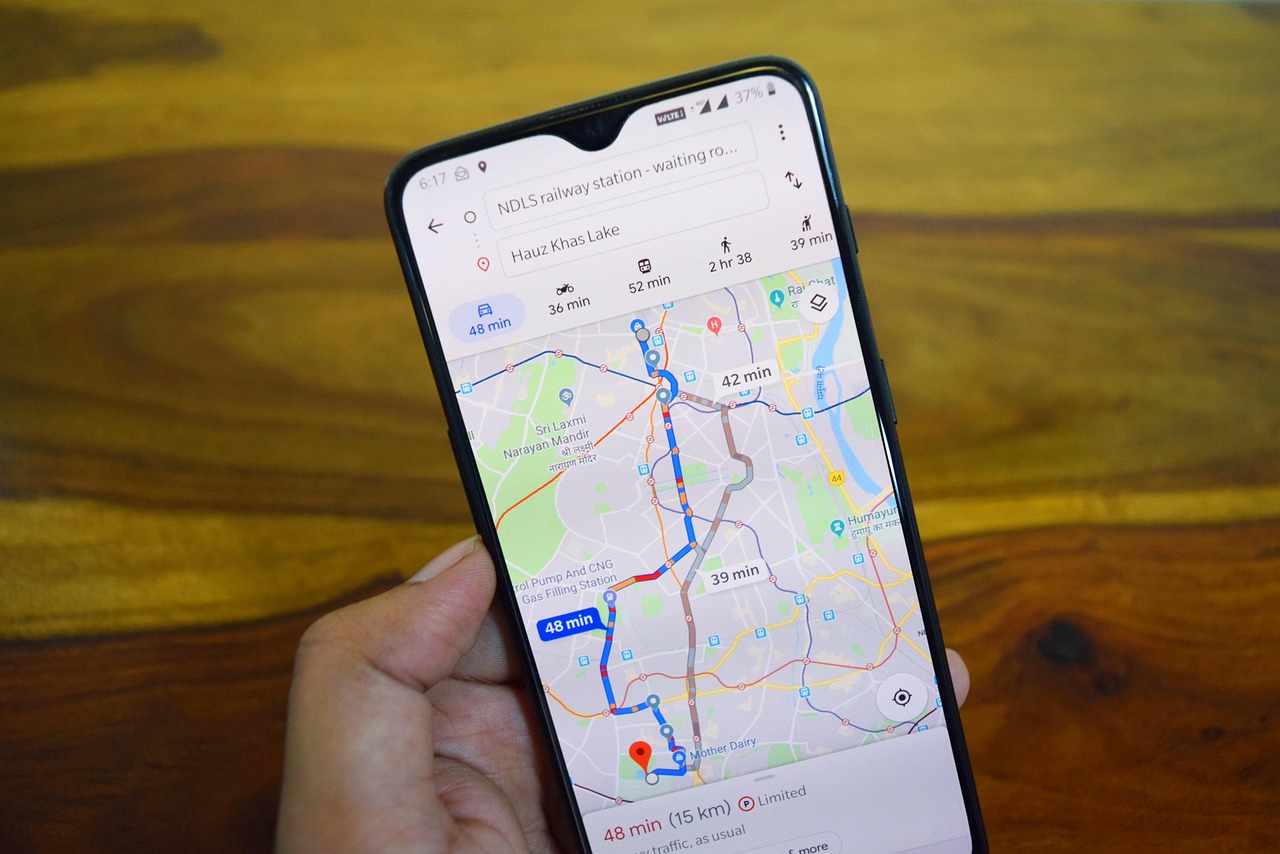
Google Maps has transformed how we navigate the modern world, offering real-time directions, traffic updates, and local business information at our fingertips.
Whether you’re exploring a new city, commuting to work, or searching for the nearest coffee shop, this powerful navigation tool has become an indispensable companion for millions worldwide. The application combines satellite imagery, street maps, and user-generated content to create a comprehensive mapping experience.
Anúncios
From its humble beginnings as a desktop mapping service to becoming one of the most downloaded mobile applications globally, Google Maps continues to evolve with innovative features that make traveling easier and more efficient. Let’s dive deep into what makes this GPS application a game-changer in modern navigation.
🗺️ Understanding the Core Features of Google Maps
Google Maps offers far more than simple point-to-point directions. The application has evolved into a comprehensive location platform that serves multiple purposes simultaneously. The core functionality revolves around providing accurate, real-time navigation guidance that adapts to changing traffic conditions.
Anúncios
The turn-by-turn navigation feature uses GPS technology to pinpoint your exact location and guide you through the most efficient route. Voice-guided instructions allow drivers to keep their eyes on the road while receiving timely directions. The system automatically recalculates routes when you miss a turn or encounter unexpected road closures.
Beyond basic navigation, the app provides detailed information about nearby businesses, restaurants, gas stations, and points of interest. Users can read reviews, view photos, check operating hours, and even make reservations directly through the application. This integration of mapping and local business information creates a seamless experience for explorers and daily commuters alike.


🚗 Navigation Modes That Suit Every Journey
Google Maps recognizes that different situations require different navigation approaches. The application offers multiple transportation modes, each optimized for specific travel methods. Driving mode remains the most popular, providing real-time traffic updates and alternative route suggestions.
Walking directions take into account pedestrian pathways, crosswalks, and shortcuts that cars cannot access. The system calculates estimated walking times based on average walking speeds and terrain difficulty. This mode proves invaluable when exploring urban areas or hiking trails.
Public transit navigation integrates schedules from buses, trains, subways, and ferries across thousands of cities worldwide. Users can compare different transit options, view departure times, and receive notifications about delays or service changes. The application even shows you where to board and which direction to face when waiting for your train.
Cycling mode has gained significant popularity among eco-conscious commuters. It highlights bike-friendly routes, dedicated cycling lanes, and avoids highways where bicycles are prohibited. The elevation information helps cyclists prepare for challenging hills or find flatter alternatives.

📍 Offline Maps for Adventures Beyond Connectivity
One of Google Maps’ most practical features allows users to download map areas for offline use. This functionality proves essential when traveling internationally, exploring remote regions, or conserving mobile data. The downloaded maps include business information, addresses, and basic navigation capabilities.
To download an offline map, simply search for your destination, tap the location name at the bottom, and select the download option. You can customize the area size based on your storage capacity and anticipated travel needs. The maps automatically update when connected to Wi-Fi, ensuring you always have current information.
Offline navigation works similarly to online mode, providing turn-by-turn directions without requiring an internet connection. However, some features like real-time traffic updates and business hours require connectivity. Planning ahead by downloading maps before departing ensures uninterrupted navigation throughout your journey.
🌟 Street View: Your Virtual Travel Companion
Street View revolutionized how we preview destinations before physically arriving. This immersive feature provides 360-degree panoramic photographs of streets, landmarks, and natural wonders from around the globe. Users can virtually walk through cities, explore museums, and even visit remote hiking trails.
The technology behind Street View involves specialized camera equipment mounted on vehicles, backpacks, and even snowmobiles. Google has photographed millions of miles of roads and pathways across every continent. The imagery gets regularly updated, showing how locations change over time.
Practical applications extend beyond virtual tourism. Street View helps users identify building entrances, parking locations, and navigation landmarks before arrival. Real estate shoppers can evaluate neighborhoods, travelers can scout hotel surroundings, and event attendees can familiarize themselves with venue layouts.
⏱️ Real-Time Traffic Intelligence
Google Maps leverages data from millions of users to provide accurate traffic predictions and current road conditions. The application analyzes anonymous location data from smartphones to determine traffic speeds, congestion levels, and accident locations. This crowdsourced approach creates incredibly accurate real-time traffic information.
Color-coded routes display traffic conditions at a glance. Green indicates normal traffic flow, orange shows moderate congestion, red warns of heavy traffic, and dark red signals severe delays or standstill conditions. The system suggests alternative routes when faster options become available during your journey.
Departure time predictions help users plan trips around traffic patterns. The application analyzes historical traffic data to estimate how long your commute will take at different times throughout the day. This feature allows you to schedule departures strategically, avoiding rush hour congestion.
🍽️ Discovering Local Businesses and Hidden Gems
The Explore feature transforms Google Maps into a comprehensive local discovery tool. Users can search by category—restaurants, shopping, attractions, hotels—and receive personalized recommendations based on location, ratings, and previous preferences. The curated lists highlight trending spots and popular destinations.
Each business listing includes essential information: address, phone number, website, operating hours, price range, and accessibility features. User-generated photos provide authentic glimpses of menus, interiors, and products. The review system helps travelers make informed decisions based on community feedback.
The “Near Me” functionality instantly shows nearby options for whatever you’re seeking. Hungry travelers can find restaurants, caffeine seekers can locate coffee shops, and tourists can discover attractions—all filtered by distance, ratings, and current availability. This immediate access to local information empowers spontaneous exploration.
📱 Seamless Integration with Your Digital Ecosystem
Google Maps works harmoniously with other applications and services, creating a connected experience across your digital life. Calendar integration automatically suggests departure times based on scheduled appointments and current traffic conditions. You’ll receive notifications reminding you when to leave for upcoming events.
The sharing features allow you to send locations, estimated arrival times, and real-time location tracking to friends and family. This proves particularly useful when coordinating meetups, ensuring elderly parents arrive safely, or monitoring teen drivers. The shared location updates automatically as you travel.
Voice assistant compatibility means you can control Google Maps hands-free through Google Assistant, Siri, or Alexa. Simply ask for directions, search for businesses, or inquire about traffic conditions without touching your device. This integration enhances safety while driving and convenience during multitasking.
🎯 Customization and Personalization Options
Google Maps learns from your behavior patterns to provide increasingly personalized experiences. The application remembers frequently visited locations, suggesting them as shortcuts for quick navigation. Your home and work addresses receive special treatment, offering one-tap directions and commute notifications.
Saved lists allow users to organize favorite restaurants, travel destinations, and points of interest. Create custom collections for different purposes—weekend getaways, date night restaurants, or client meeting locations. These lists sync across devices and can be shared with others for collaborative planning.
The timeline feature creates a private record of places you’ve visited, routes you’ve traveled, and photos taken at specific locations. This personal travel history helps you remember restaurant names, recall trip details, or track business mileage for expense reporting. Privacy controls let you delete or disable this feature entirely.
🌍 Global Coverage with Local Expertise
Google Maps covers virtually every corner of the planet, from major metropolitan areas to remote villages. The application provides detailed mapping for over 220 countries and territories, serving billions of users in their native languages. Local business listings span restaurants, shops, services, and attractions across diverse cultures.
The Local Guides program encourages users to contribute reviews, photos, and updates about places they visit. These community contributions enhance map accuracy and provide authentic insights that official sources cannot match. Active contributors earn points and recognition, fostering a engaged global community.
Regional specialization ensures that Google Maps understands local transportation nuances. The application accounts for unique features like rickshaws in India, tuk-tuks in Thailand, or cable cars in San Francisco. Transit directions incorporate local naming conventions and cultural navigation preferences.
🔒 Privacy and Data Security Considerations
Google Maps collects location data to provide personalized services and improve application functionality. Understanding these privacy implications helps users make informed decisions about their data sharing. The application offers granular controls over location tracking, storage, and sharing preferences.
Incognito mode allows users to navigate and search without saving history to their Google account. This temporary privacy mode prevents searches and routes from appearing in your timeline or influencing recommendations. The feature proves useful when searching for surprises, sensitive locations, or maintaining privacy on shared devices.
Auto-delete controls let users set automatic timelines for location history removal. Choose to delete data older than 3, 18, or 36 months, balancing personalization benefits with privacy preferences. Manual deletion options provide immediate control over specific entries or entire history periods.
💡 Advanced Tips for Power Users
Experienced Google Maps users leverage lesser-known features to maximize efficiency. The multiple-stop route planning allows you to add several destinations in sequence, optimizing the order for fastest completion. This proves invaluable for errand runs, delivery routes, or multi-city road trips.
Wheelchair accessibility filters help users with mobility challenges find suitable routes and destinations. The application indicates which businesses have accessible entrances, parking, and facilities. Transit directions specify elevators, ramps, and accessible boarding options.
Measure distance tool calculates straight-line distances between points on the map. While not following roads, this feature helps estimate distances for running routes, property boundaries, or general spatial awareness. Simply long-press any location and select the measure distance option.
🚀 Future Innovations and Emerging Features
Google continues investing in augmented reality navigation, which overlays directional arrows and location markers onto your smartphone camera view. This Live View feature helps pedestrians orient themselves in unfamiliar surroundings, particularly when exiting subway stations or navigating complex intersections.
Environmental impact features now display eco-friendly route options that minimize fuel consumption and emissions. The application calculates the greenest route based on factors like road incline, traffic congestion, and vehicle efficiency. These sustainable navigation choices help reduce environmental footprints without significant time penalties.
Indoor mapping expands coverage to airports, shopping malls, stadiums, and transit stations. Detailed floor plans show store locations, amenities, and navigation pathways within large buildings. This functionality eliminates the confusion of navigating sprawling complexes and finding specific gates or shops.
📊 Comparing Google Maps with Alternative Navigation Apps
While Google Maps dominates the navigation market, several alternatives offer unique advantages. Waze, owned by Google, focuses heavily on community-reported incidents, police alerts, and social features. The gamified approach encourages active user participation in traffic reporting.
Apple Maps has improved significantly, offering clean design, privacy-focused features, and deep iOS integration. However, its global coverage and business information database remain less comprehensive than Google’s offering. The choice often depends on device ecosystem and privacy priorities.
Specialized applications like Citymapper excel in public transit navigation for specific metropolitan areas. These focused tools provide more detailed transit information but lack the comprehensive global coverage that makes Google Maps universally useful.
🎓 Making the Most of Your Google Maps Experience
Success with Google Maps comes from understanding its capabilities and incorporating them into daily routines. Enable location services and notifications to receive proactive traffic alerts and departure reminders. Regularly update the application to access new features and improved performance.
Contribute to the community by leaving reviews, adding photos, and suggesting edits when you notice outdated information. Your contributions help millions of users make better decisions while improving map accuracy for everyone. The collective effort creates a more reliable navigation ecosystem.
Explore settings to customize the experience according to your preferences. Adjust voice volume, choose measurement units, set default transportation modes, and configure privacy controls. These personalizations transform Google Maps from a generic tool into your personalized navigation companion.
Google Maps represents more than just a navigation application—it’s a comprehensive location intelligence platform that empowers exploration, facilitates commerce, and connects communities. Whether you’re commuting to work, planning international adventures, or discovering local hidden gems, this versatile tool adapts to your needs. The continuous innovation ensures that Google Maps remains at the forefront of digital navigation technology, making every journey more informed, efficient, and enjoyable. Download the application today and unlock a world of navigation possibilities right in your pocket.
