
Anúncios
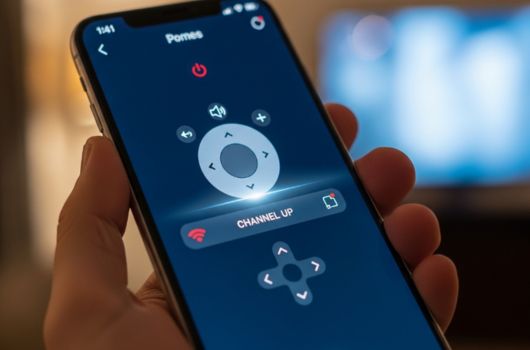
Remote control apps have transformed how we interact with our home entertainment systems, offering convenience and innovation right at our fingertips.
Anúncios
Gone are the days when losing your TV remote meant frantically searching under couch cushions or resorting to manually changing channels. Today’s smartphones have evolved into powerful universal remote controls, capable of managing everything from televisions and air conditioners to streaming devices and smart home systems.
The rise of remote control applications represents a significant shift in how we approach home automation and device management. These apps leverage infrared technology, Wi-Fi connectivity, and Bluetooth to create seamless control experiences that rival or even surpass traditional physical remotes.
Anúncios


📱 Understanding How Remote Control Apps Work
Remote control apps function through various technologies depending on your smartphone’s capabilities and the devices you’re trying to control. Most modern implementations use one of three primary methods: infrared (IR) blasting, Wi-Fi connectivity, or Bluetooth pairing.
Infrared technology remains the most universal option for controlling traditional electronics. Many Android smartphones come equipped with IR blasters—small components that emit infrared signals identical to those produced by conventional remotes. When your phone lacks this hardware, external IR adapters can bridge the gap.
Wi-Fi-based control offers greater flexibility and range, enabling you to manage smart TVs, streaming boxes, and IoT devices from anywhere in your home. This method doesn’t require line-of-sight operation, making it ideal for controlling devices in different rooms or behind closed cabinets.
Bluetooth connectivity provides a middle ground, offering reliable connections within reasonable distances while consuming minimal battery power. This technology works exceptionally well for modern smart devices designed with wireless control in mind.
🎯 Key Features That Define Quality Remote Control Apps
Not all remote control applications are created equal. The best ones distinguish themselves through intuitive design, comprehensive device compatibility, and advanced features that enhance user experience beyond basic button-pushing functionality.
Device Compatibility and Database Coverage
A robust remote control app should support thousands of brands and device models. The most reliable applications maintain extensive databases that include everything from mainstream manufacturers like Samsung, LG, and Sony to niche brands and regional products.
Regular database updates ensure compatibility with newly released devices. Premium apps often allow users to contribute custom configurations, creating crowdsourced solutions for even the most obscure electronics.
Customizable Interface Options
Personalization transforms a functional app into an indispensable tool. Look for applications that allow you to create custom button layouts, design personalized remotes for different rooms, and assign macro commands that execute multiple actions with a single tap.
The ability to rename devices, choose color schemes, and arrange buttons according to your preferences makes daily interactions more intuitive and efficient. Some advanced apps even support widget creation for quick access directly from your home screen.
Smart Home Integration Capabilities
Modern remote control apps increasingly function as central hubs for comprehensive smart home management. Integration with voice assistants like Google Assistant and Amazon Alexa enables hands-free control, while compatibility with automation platforms allows sophisticated scheduling and scene creation.
Imagine arriving home to automatically powered-on entertainment systems, perfectly adjusted lighting, and climate control set to your preferred temperature—all orchestrated through a single app interface.

🔧 Setting Up Your Remote Control App Successfully
Getting started with a remote control application typically involves a straightforward setup process, though the specific steps vary depending on your chosen app and target devices.
Begin by downloading your selected application from trusted sources like the Google Play Store or Apple App Store. After installation, grant necessary permissions for network access, Bluetooth functionality, and infrared control if applicable.
Most apps guide you through an initial configuration wizard that helps identify nearby devices. This process usually involves selecting your device brand, choosing the specific model, and testing basic functions to ensure proper communication.
Troubleshooting Common Connection Issues
When experiencing connectivity problems, verify that your smartphone and target device share the same Wi-Fi network. Many smart TVs and streaming devices require network-based communication, making network alignment essential for successful pairing.
For infrared-based control, ensure clear line-of-sight between your phone and the device. IR signals cannot penetrate obstacles, so pointing your phone directly at the device’s sensor improves reliability significantly.
Battery optimization settings sometimes interfere with remote control apps by restricting background processes. Disable battery optimization for your remote app to maintain consistent performance and responsiveness.
🌟 Practical Applications Beyond Basic TV Control
While television control represents the most common use case, remote control apps offer functionality extending far beyond entertainment systems.
Climate Control Management
Air conditioner control through smartphone apps provides unprecedented convenience and energy efficiency. Schedule cooling or heating cycles to align with your daily routine, adjust temperatures remotely before arriving home, and monitor energy consumption patterns to optimize usage.
Many apps include geofencing features that automatically adjust climate settings based on your location, ensuring comfortable environments while minimizing unnecessary energy expenditure when you’re away.
Presentation and Professional Applications
Remote control apps transform smartphones into powerful presentation tools for professional environments. Control slide presentations wirelessly, manage video playback during meetings, and operate projectors without being tethered to computer stations.
This mobility allows presenters to move freely throughout conference rooms, engage more naturally with audiences, and maintain better eye contact while seamlessly advancing through content.
Photography and Camera Control
Photographers leverage remote control apps to trigger cameras wirelessly, perfect for self-portraits, group photos, and long-exposure photography requiring vibration elimination. Advanced apps provide live viewfinder displays, exposure adjustment, and focus control directly through smartphone interfaces.
🛡️ Privacy and Security Considerations
As remote control apps gain access to network-connected devices throughout your home, understanding privacy implications becomes increasingly important.
Download applications exclusively from official app stores and verify developer credentials before installation. Scrutinize permission requests to ensure they align with stated functionality—a simple TV remote shouldn’t require access to contacts, photos, or location data beyond what’s necessary for geofencing features.
Regular app updates often include security patches addressing newly discovered vulnerabilities. Enable automatic updates or check manually for new versions to maintain optimal protection against potential threats.
When using Wi-Fi-based control, secure your home network with strong encryption and unique passwords. Compromised networks potentially grant unauthorized access to all connected devices, including those managed through remote control apps.
💡 Maximizing Efficiency With Advanced Features
Power users discover that remote control apps offer sophisticated capabilities extending beyond simple button replication.
Macro Commands and Automation
Macro functionality allows single-tap execution of complex command sequences. Create a “movie night” macro that dims lights, closes smart blinds, powers on your TV and sound system, launches your streaming service, and adjusts audio settings—all automatically.
Time-based automation schedules recurring actions without manual intervention. Program your entertainment system to power down at bedtime, configure morning routines that gradually increase screen brightness, or establish energy-saving protocols during typical absence periods.
Multi-Device Coordination
Advanced apps enable synchronized control across multiple devices simultaneously. Adjust volume across distributed audio systems, coordinate lighting scenes with entertainment content, or manage entire home theater setups through unified interfaces.
This coordination eliminates the frustration of juggling multiple physical remotes, each with unique button layouts and operational quirks that complicate simple tasks.
🚀 Future Trends in Remote Control Technology
The evolution of remote control apps continues accelerating as emerging technologies reshape our expectations and capabilities.
Artificial intelligence integration promises context-aware remote functionality that anticipates user needs based on behavioral patterns. Imagine apps that automatically prepare your preferred viewing environment when detecting typical movie-watching times, or systems that suggest content based on viewing history and current mood.
Augmented reality interfaces may soon overlay virtual control panels onto physical spaces, allowing intuitive gesture-based device management. Point your phone at any compatible device to instantly access customized controls without navigating through app menus.
Haptic feedback technology continues improving, providing tactile responses that simulate physical button presses. This sensory enhancement addresses one of the primary limitations of touchscreen controls, making virtual remotes feel more substantial and satisfying to use.
🎭 Choosing the Right Remote Control App for Your Needs
With countless options available across app stores, selecting the optimal remote control application requires evaluating your specific requirements and priorities.
Consider your device ecosystem first. If you primarily control traditional electronics like older TVs and DVD players, prioritize apps with extensive IR database coverage. For smart home enthusiasts managing network-connected devices, focus on apps offering robust Wi-Fi and integration capabilities.
User interface preferences significantly impact daily satisfaction. Download several highly-rated apps to test their layouts, responsiveness, and customization options. What feels intuitive to one person may seem counterintuitive to another, making personal testing invaluable.
Free versions often provide sufficient functionality for basic needs, while premium subscriptions unlock advanced features like cloud backup, unlimited custom remotes, and ad-free experiences. Evaluate whether enhanced capabilities justify subscription costs based on your usage patterns.
✨ Transforming Your Living Space With Smart Control
Remote control apps represent more than mere convenience—they fundamentally transform how we interact with our living environments, creating opportunities for enhanced comfort, efficiency, and personalization.
The consolidation of multiple physical remotes into a single smartphone application reduces clutter, eliminates the frustration of lost remotes, and simplifies device management for family members of all technical skill levels.
Energy efficiency improvements emerge naturally when remote control apps provide visibility into device usage patterns and enable automatic power management. Small actions like ensuring devices fully power down rather than remaining in standby mode accumulate into meaningful energy savings over time.
Accessibility benefits prove particularly significant for individuals with mobility limitations or visual impairments. Customizable interfaces with large buttons, voice control integration, and simplified layouts make technology more inclusive and usable for diverse populations.
🔮 Making Remote Control Apps Part of Your Daily Routine
Successfully integrating remote control apps into your lifestyle requires intentional habit formation and thoughtful configuration.
Start by replacing your most frequently used physical remote with its app equivalent. Resist the temptation to fall back on familiar physical controls during the initial adjustment period. Within days, muscle memory develops, and smartphone-based control becomes second nature.
Organize your virtual remotes logically, grouping devices by room or function. This organization mirrors how you mentally categorize your electronics, making navigation intuitive even when controlling numerous devices.
Explore advanced features gradually rather than attempting to master everything immediately. Begin with basic control, then progressively incorporate macros, scheduling, and integrations as you grow comfortable with foundational functionality.
Share configurations with family members to ensure everyone benefits from optimized setups. Many apps support cloud synchronization, allowing household members to access identical remote configurations across their personal devices.
The transition from physical remotes to app-based control represents a small change with substantial impact. As smartphones continue evolving into universal tools for managing our increasingly connected lives, remote control applications stand as prime examples of technology simplifying daily experiences while expanding possibilities. Whether you’re controlling a single television or orchestrating an elaborate smart home ecosystem, these powerful apps put comprehensive control literally at your fingertips.
