
Anúncios
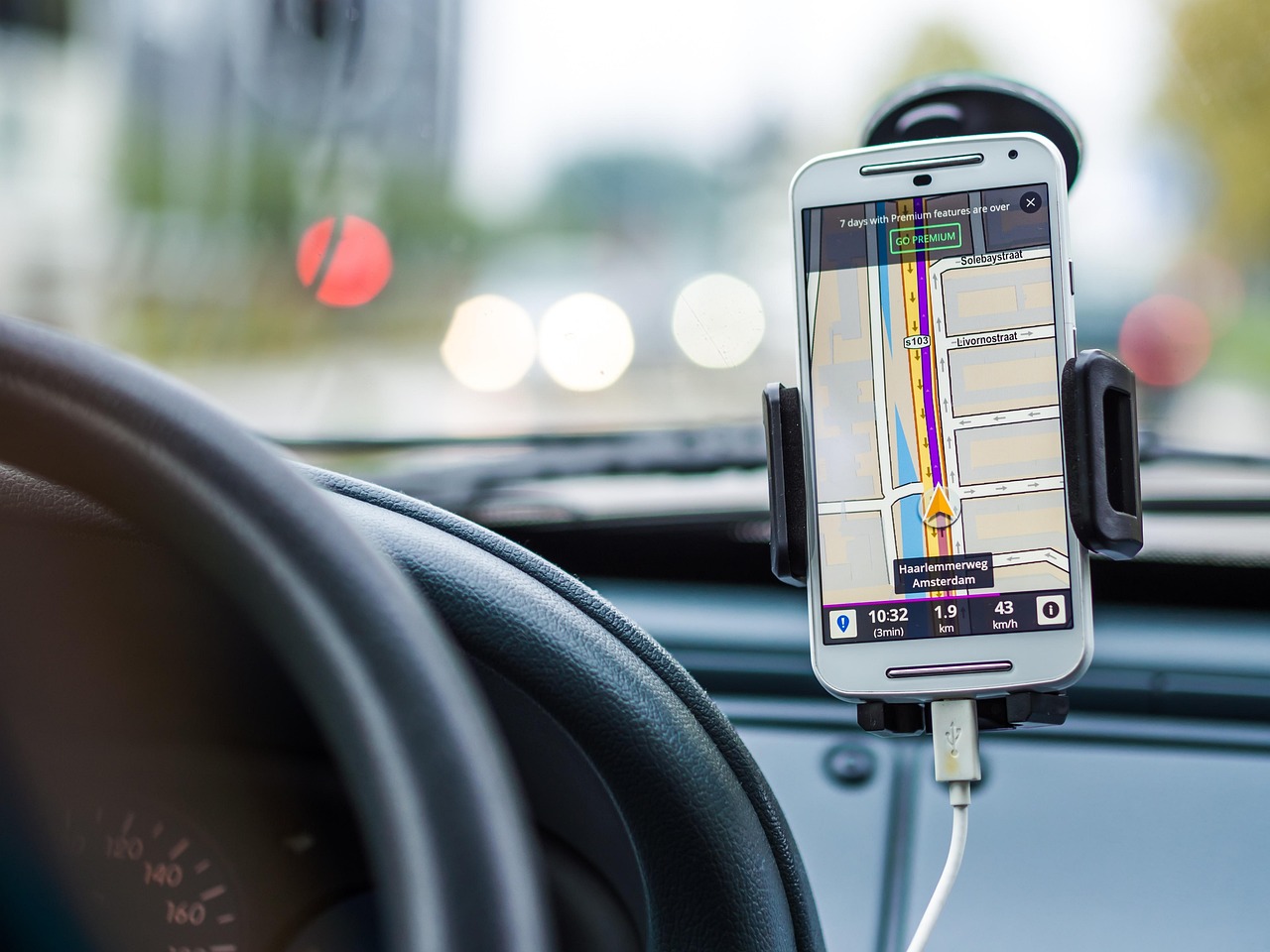
GPS applications have revolutionized how we navigate the world, transforming smartphones into powerful navigation tools that guide millions of users daily through unfamiliar streets and destinations.

Gone are the days of unfolding paper maps or asking strangers for directions. Today’s GPS applications offer real-time traffic updates, alternative route suggestions, and detailed information about nearby businesses and points of interest. Whether you’re commuting to work, planning a road trip, or exploring a new city, these digital companions have become indispensable tools in our daily lives.
Anúncios


The technology behind GPS apps combines satellite signals, cellular data, and sophisticated algorithms to pinpoint your exact location and guide you accurately to your destination. With features ranging from voice-guided navigation to offline maps and street view imagery, modern GPS applications continue to evolve and improve the way we travel.
📍 Understanding How GPS Applications Work
GPS technology relies on a network of satellites orbiting Earth, constantly transmitting signals that your smartphone receives and processes. When you open a GPS application, your device communicates with at least four satellites to triangulate your precise position through a process called trilateration.
Anúncios
The application then uses this location data combined with mapping information stored in its database to display your position on a digital map. Advanced algorithms calculate optimal routes based on current traffic conditions, road closures, and user preferences like avoiding tolls or highways.
Modern GPS apps also leverage additional technologies like Wi-Fi positioning and cellular tower triangulation to improve accuracy, especially in urban environments where satellite signals might be obstructed by tall buildings. This multi-layered approach ensures you receive reliable navigation guidance even in challenging conditions.
🌟 Essential Features Every Quality GPS App Should Offer
When choosing a GPS application for your smartphone, certain features distinguish exceptional apps from mediocre ones. Understanding these capabilities helps you select the best navigation tool for your specific needs.
Real-Time Traffic Information
Quality GPS applications provide live traffic updates that automatically reroute you around congestion, accidents, or road construction. This feature saves valuable time during your commute and helps you arrive at appointments punctually.
The best apps crowdsource traffic data from millions of users, creating an accurate picture of current road conditions. Some applications even predict traffic patterns based on historical data, helping you plan departures strategically.
Offline Map Capabilities
Reliable GPS apps allow you to download maps for offline use, ensuring navigation continues even without cellular connectivity. This feature proves invaluable when traveling internationally, exploring remote areas, or conserving mobile data.
Downloaded maps typically include points of interest, business information, and basic navigation features, though real-time traffic updates naturally require an internet connection.
Voice-Guided Turn-by-Turn Directions
Hands-free navigation through clear voice instructions keeps your eyes on the road and enhances driving safety. Premium GPS applications offer natural-sounding voice guidance with timely alerts about upcoming turns, lane changes, and exits.
Many apps now support multiple languages and accents, making navigation accessible to diverse users worldwide. Voice commands also allow you to search destinations, report incidents, or request alternative routes without touching your device.
🚗 Popular GPS Applications Transforming Modern Travel
The market offers numerous GPS applications, each with unique strengths tailored to different user preferences and travel styles. Understanding the landscape helps you choose the right tool for your navigation needs.
Google Maps: The Industry Standard
Google Maps dominates the GPS application market with comprehensive mapping data covering virtually every corner of the globe. Its extensive database includes detailed business information, user reviews, photos, and operating hours for millions of locations.
The application excels at integrating multiple transportation modes, offering directions for driving, walking, cycling, and public transit. Street View imagery allows you to virtually explore destinations before arrival, while Timeline features help you track and remember your travel history.
Regular updates introduce innovative features like Live View augmented reality navigation, which overlays directional arrows onto your camera view, making pedestrian navigation intuitive and engaging.
Waze: Community-Powered Navigation
Waze distinguishes itself through robust community engagement, where users actively report traffic incidents, police presence, road hazards, and gas prices. This crowdsourced approach creates dynamic, highly responsive navigation that adapts to changing conditions quickly.
The application features a playful interface with customizable voice options, including celebrity voices and fictional characters. Gamification elements reward users for contributing reports and driving certain distances, fostering an engaged community of navigation enthusiasts.
Waze particularly shines in urban environments where traffic conditions fluctuate rapidly, often finding creative alternative routes through local streets that traditional navigation might overlook.
Apple Maps: Seamless iOS Integration
Apple Maps has evolved significantly since its challenging launch, now offering competitive features with exceptional integration across the Apple ecosystem. The application provides detailed mapping, real-time traffic, and transit directions in numerous cities worldwide.
Privacy-conscious users appreciate Apple’s commitment to anonymizing location data and minimizing data collection compared to competitors. Features like Flyover provide stunning 3D views of major cities, while Look Around offers street-level imagery similar to Google’s Street View.
The deep integration with Siri, CarPlay, and other Apple services creates a cohesive experience for users invested in the Apple ecosystem, with navigation suggestions appearing proactively based on calendar events and routine patterns.
🛣️ Specialized GPS Applications for Unique Needs
Beyond mainstream navigation apps, specialized GPS applications cater to specific activities and user groups, offering tailored features that general-purpose apps might lack.
Outdoor Recreation and Hiking Apps
Applications like AllTrails and Gaia GPS focus on outdoor enthusiasts, providing detailed topographic maps, trail information, and elevation profiles. These apps include features like waypoint marking, track recording, and difficulty ratings for hiking trails.
Offline functionality becomes crucial in wilderness areas without cellular coverage, and these specialized apps prioritize robust offline capabilities with detailed terrain maps that help adventurers navigate safely through remote landscapes.
Truck and RV Navigation
Commercial drivers and recreational vehicle owners require navigation that accounts for vehicle dimensions, weight restrictions, and low clearances. Specialized apps like CoPilot and Truck GPS Navigation provide routes suitable for large vehicles, avoiding roads with restrictions that could lead to dangerous situations.
These applications include information about truck stops, weigh stations, and RV-friendly campgrounds, addressing the unique needs of drivers operating oversized vehicles.
Bicycle Navigation Solutions
Cycling-specific GPS apps like Komoot and Ride with GPS emphasize bike-friendly routes, elevation changes, and surface conditions. They help cyclists plan enjoyable rides while avoiding dangerous high-traffic roads.
Features like workout tracking, calorie counting, and social sharing attract fitness-focused cyclists who view navigation apps as training tools rather than simple directional guides.
💡 Maximizing Your GPS Application Experience
Getting the most from your GPS application requires understanding advanced features and implementing smart usage strategies that enhance accuracy and convenience.
Optimize Settings for Better Performance
Adjusting your GPS app settings can significantly improve battery life and navigation quality. Enable battery optimization modes during long trips, download maps for frequently visited areas, and customize voice volume for clear instructions without distraction.
Privacy-conscious users should review location permissions, choosing “only while using” rather than “always allow” for apps that don’t require constant background tracking. This preserves battery life while maintaining privacy control.
Contribute to Community Accuracy
Many GPS applications allow users to suggest edits, report missing roads, or update business information. Contributing accurate data improves the experience for everyone while ensuring the maps reflect current conditions in your local area.
Reporting incidents like accidents, construction, or road closures helps fellow travelers avoid delays and demonstrates the collaborative power of modern navigation technology.
Explore Additional Features Beyond Basic Navigation
Most users barely scratch the surface of their GPS app’s capabilities. Explore features like location sharing with family members, saving favorite places, creating custom lists for trip planning, and exploring nearby recommendations based on your preferences.
Many applications now integrate restaurant reservations, ride-hailing services, and parking availability, transforming from simple navigation tools into comprehensive travel companions.
🔒 Privacy and Security Considerations
GPS applications collect substantial location data, raising legitimate privacy concerns that users should understand and address through informed settings choices.
Location history features track everywhere you go, creating detailed records that can be useful for personal reference but concerning if accessed by unauthorized parties. Review your app’s privacy settings regularly, deleting old location history and limiting data collection to necessary functions.
Consider the trade-offs between convenience and privacy. While sharing real-time location with family members provides safety benefits, constant location tracking by apps creates extensive data profiles. Choose settings that balance your comfort level with practical functionality.
Read privacy policies to understand how companies use, store, and share your location data. Some applications anonymize data before using it for traffic analysis, while others maintain detailed individual profiles for advertising purposes.
🌐 The Future of GPS Navigation Technology
GPS applications continue evolving rapidly, with emerging technologies promising even more sophisticated navigation experiences in coming years.
Augmented Reality Navigation
AR features are transforming smartphone navigation by overlaying directional arrows and information directly onto camera views of the real world. This intuitive approach helps pedestrians navigate complex intersections and unfamiliar areas with confidence.
Future iterations will likely expand AR capabilities to driving navigation through heads-up displays and windshield projections, keeping directional information visible without diverting attention from the road.
Artificial Intelligence and Predictive Routing
Advanced AI algorithms increasingly predict your destinations before you request directions, suggesting departure times based on traffic patterns and calendar appointments. Machine learning personalizes route preferences, learning whether you prioritize speed, scenery, or avoiding highways.
Predictive technology will continue improving, potentially suggesting errands along your route or alerting you to parking challenges at your destination before you depart.
Integration with Autonomous Vehicles
As self-driving technology matures, GPS applications will evolve from passenger tools to critical components of vehicle navigation systems. Highly detailed maps with centimeter-level accuracy will guide autonomous vehicles safely through complex traffic scenarios.
This transformation will require GPS apps to maintain unprecedented mapping precision and real-time updates, making current navigation accuracy look primitive by comparison.
🎯 Choosing the Right GPS Application for Your Lifestyle
Selecting the ideal GPS app depends on your specific needs, travel patterns, and device ecosystem. Commuters prioritizing traffic avoidance might prefer Waze’s community-driven approach, while international travelers benefit from Google Maps’ comprehensive global coverage.
Consider trying multiple applications to compare interfaces, accuracy, and features in your typical usage scenarios. Most GPS apps are free with optional premium features, making experimentation risk-free.
Privacy-focused users might gravitate toward Apple Maps or apps with transparent data policies, while power users wanting maximum features might accept greater data collection from apps offering advanced capabilities.
Ultimately, the best GPS application seamlessly integrates into your daily routine, providing reliable guidance that helps you navigate confidently wherever your journey takes you. Whether you’re exploring new cities, commuting efficiently, or embarking on outdoor adventures, modern GPS technology ensures you’ll never truly be lost again.
🚀 Getting Started with Your GPS App Today
Beginning your GPS application journey is straightforward. Download your chosen app from your device’s app store, grant necessary location permissions, and take a few moments to explore the interface and customize settings according to your preferences.
Start with simple trips to familiar destinations, allowing you to learn the app’s interface without navigation pressure. Gradually explore advanced features like offline maps, multi-stop routing, and community contributions as you grow comfortable with basic functionality.
Remember that GPS applications improve with use, learning your preferences and providing increasingly personalized suggestions over time. Embrace these powerful navigation tools, and you’ll wonder how you ever traveled without them.
