
Anúncios
Metal detector apps transform your smartphone into a practical tool for finding hidden metallic objects using the device’s built-in magnetometer sensor. 🔍
Whether you’re searching for lost jewelry in your backyard, locating metal studs behind walls, or simply exploring treasure hunting as a hobby, these digital tools offer surprising accuracy and convenience. The technology relies on electromagnetic field detection, measuring magnetic interference caused by nearby metal objects.
Anúncios
From casual users to DIY enthusiasts and even professional contractors, metal detector applications have carved out a niche in the mobile app ecosystem. They provide immediate utility without requiring specialized equipment, making metal detection accessible to everyone with a compatible smartphone.
How Metal Detector Apps Actually Work 🧲
Modern smartphones contain a magnetometer sensor originally designed for compass functionality and navigation. Metal detector apps cleverly repurpose this hardware to measure variations in the Earth’s magnetic field. When metal objects come near your device, they disrupt the surrounding electromagnetic environment, causing measurable fluctuations.
Anúncios


The application continuously monitors these magnetic field changes, displaying real-time readings through visual graphs, numerical values, or audio signals. Ferromagnetic materials like iron and steel produce the strongest responses, while non-ferrous metals such as aluminum, copper, or gold generate weaker signals.
Different apps employ varying algorithms to filter background noise and enhance signal accuracy. Some incorporate calibration features that establish baseline readings for your specific environment, improving detection precision by compensating for natural magnetic variations or electronic interference from nearby devices.
Understanding Detection Limitations
It’s essential to maintain realistic expectations about smartphone-based metal detection. These apps cannot match the depth penetration or sensitivity of dedicated metal detectors costing hundreds of dollars. Smartphone sensors typically detect metal objects within a range of approximately 6-12 inches, depending on object size and composition.
Environmental factors significantly impact performance. Concrete with rebar, electrical wiring, or other smartphones nearby can create false readings. Additionally, phone cases with magnetic clasps or metallic components may interfere with sensor accuracy, requiring their removal during use.
Practical Applications in Everyday Life 🏠
Metal detector apps serve numerous practical purposes beyond treasure hunting fantasies. Homeowners frequently use them to locate wall studs before hanging heavy fixtures, eliminating guesswork and preventing damage to electrical wiring or plumbing hidden behind drywall.
Construction professionals and electricians appreciate having a quick reference tool in their pocket for identifying metal conduits, pipes, or structural reinforcement. While not replacing professional-grade equipment, these apps provide valuable preliminary scanning capabilities during site assessments.
Outdoor enthusiasts employ metal detection apps while camping to check ground areas before pitching tents, ensuring they avoid buried nails, bottle caps, or other debris that could damage equipment or cause injury. Beach visitors use them to search for lost keys, coins, or jewelry in sand.
Lost Item Recovery Success Stories
Countless users report successful recovery of valuable items using these applications. Wedding rings dropped in grass, keys lost in leaf piles, and buried garden hose fittings represent common success scenarios. The apps prove particularly effective for recently lost items when the search area remains relatively small.
The immediate availability of your smartphone means you can begin searching moments after realizing something is missing, before environmental factors like rain, lawn maintenance, or foot traffic complicate recovery efforts.
Choosing the Right Metal Detector App ⚡
The app marketplace offers dozens of metal detection applications with varying features, interfaces, and accuracy levels. Selecting the right one depends on your specific needs, device compatibility, and desired functionality.
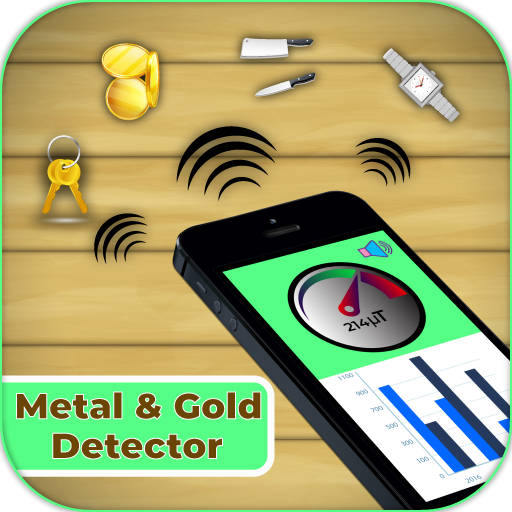
Top-rated applications typically include real-time magnetic field strength displays measured in microteslas (μT), adjustable sensitivity settings, audio feedback with customizable tones, and calibration options. Some advanced versions incorporate vibration alerts, data logging, and graph visualization for tracking signal patterns.
Key Features to Prioritize
User interface design significantly impacts usability. Look for apps with clear, intuitive displays that present information at a glance without requiring constant attention. Large numerical readouts and color-coded indicators help users quickly interpret detection signals.
Calibration functionality proves essential for accurate readings. Quality apps allow you to establish baseline measurements for your environment, accounting for natural magnetic variations and filtering out consistent interference sources.
Audio feedback enhances detection efficiency by allowing users to focus on the search area rather than constantly watching their screen. Adjustable pitch or frequency changes that correspond to signal strength provide intuitive detection cues.
Maximizing Detection Accuracy and Performance 📊
Achieving optimal results requires understanding proper technique and environmental considerations. Begin by removing your phone case, especially if it contains magnetic components or metal elements that could interfere with sensor readings.
Perform calibration in an area free from metal objects, holding your device steady for several seconds while the app establishes baseline values. This process compensates for your phone’s unique sensor characteristics and local magnetic environment.
During detection, move your smartphone slowly and steadily across the search area, maintaining consistent distance from the surface. Rapid movements or erratic sweeping patterns reduce accuracy and may cause missed detections or false positives.
Environmental Optimization Tips
Minimize electronic interference by turning off Bluetooth, WiFi, and other wireless communications when possible. Nearby smartphones, smartwatches, or wireless headphones can create magnetic field disturbances that compromise detection accuracy.
Be aware of underground utilities, rebar in concrete foundations, and metal building components that create permanent magnetic anomalies. These structures produce consistent readings that can mask smaller objects you’re attempting to locate.
Weather conditions rarely impact detection directly, but wet soil or sand may affect depth penetration slightly compared to dry conditions. Metal corrosion can reduce signal strength for older buried objects.
Understanding Sensor Technology and Compatibility 🔧
Not all smartphones possess equally capable magnetometer sensors. Flagship devices from major manufacturers typically incorporate higher-quality components with better sensitivity and lower noise levels compared to budget models.
Android devices generally offer broader app compatibility and sometimes more granular sensor access, while iOS devices maintain consistent sensor quality across their limited model range. Some older or budget smartphones may lack magnetometers entirely, rendering metal detector apps non-functional.
You can verify your device’s sensor capabilities by checking technical specifications or installing sensor testing apps that report all available hardware components. The presence of a functional compass app indicates magnetometer availability.
Sensor Calibration Importance
Magnetometer sensors require periodic calibration to maintain accuracy, especially after software updates, significant travel across time zones, or extended periods without use. Most operating systems include built-in calibration procedures accessed through settings menus.
The classic figure-eight motion calibration method involves moving your phone through a three-dimensional pattern that exposes the sensor to various orientations, allowing algorithms to map its response characteristics and compensate for internal magnetic interference.
Safety Considerations and Best Practices ⚠️
While metal detecting seems harmless, certain situations require caution and awareness. Always obtain permission before searching private property, parks, or historical sites, as unauthorized digging or excavation may violate local regulations or disturb protected areas.
Exercise care when detecting near construction sites, roadways, or utility corridors where buried cables, gas lines, or other infrastructure could pose hazards if accidentally damaged. Professional utility locating services should handle these high-risk scenarios.
Sharp objects like nails, broken glass fragments attached to metal, or rusty debris present injury risks during recovery. Wear appropriate gloves when retrieving detected items, and dispose of dangerous materials properly rather than leaving them for others to encounter.
Ethical Metal Detecting Guidelines
The metal detecting community maintains ethical standards that app users should follow. Fill any holes created during searches, remove trash and debris you encounter, and respect wildlife habitats by minimizing disturbance.
Report historically or archaeologically significant discoveries to appropriate authorities rather than removing them. Many jurisdictions have laws protecting cultural artifacts, and professional documentation preserves valuable historical context.
Comparing Apps Versus Dedicated Metal Detectors 💡
Smartphone applications offer convenience, zero additional cost, and immediate availability, but dedicated metal detectors provide superior performance for serious hobbyists or professional applications. Understanding these trade-offs helps set appropriate expectations.
Professional metal detectors feature specialized coils, adjustable discrimination settings, and detection depths measured in feet rather than inches. They filter specific metal types, operate in harsh environmental conditions, and deliver consistent performance across varied terrain.
For casual users seeking lost items around homes, checking walls before drilling, or occasional recreational detecting, smartphone apps provide sufficient functionality without financial investment in specialized equipment. They excel at convenience and accessibility rather than professional-grade performance.
When to Upgrade to Dedicated Equipment
If metal detecting becomes a regular hobby, you frequently search for deeply buried objects, or you need to discriminate between metal types reliably, investing in purpose-built equipment makes sense. Entry-level detectors start around $100, with professional models reaching thousands of dollars.
Treasure hunters exploring beaches, parks, or historical sites benefit from dedicated detectors’ enhanced discrimination, waterproof construction, and extended battery life. The superior depth penetration dramatically increases discovery potential in these scenarios.
Educational Applications and STEM Learning 🎓
Metal detector apps serve valuable educational purposes, introducing students to electromagnetic principles, sensor technology, and scientific methodology. Teachers incorporate them into physics lessons demonstrating magnetic fields, ferromagnetism, and measurement concepts.
Students can conduct experiments comparing detection ranges for different metals, graphing signal strength versus distance, or mapping magnetic field variations across school grounds. These hands-on activities make abstract concepts tangible and engaging.
The accessibility of smartphone-based detection removes barriers to scientific exploration, allowing students without expensive equipment to participate in authentic investigative activities. Data logging features in advanced apps support quantitative analysis and scientific reporting.
Troubleshooting Common Detection Issues 🔍
Users occasionally encounter challenges affecting app performance. Inconsistent readings often result from uncalibrated sensors, requiring the figure-eight calibration procedure or app-specific calibration features to resolve.
If the app shows no response to known metal objects, verify that your device contains a magnetometer sensor and that the app has necessary permissions to access it. Some privacy settings or battery optimization features may restrict sensor access.
Extremely high constant readings typically indicate magnetic interference from phone cases, nearby electronics, or building materials. Move to a different location and remove accessories to isolate the interference source.
Performance Optimization Strategies
Close background applications that might consume processing resources, ensuring smooth sensor sampling and display updates. Some devices throttle sensor access when multiple apps compete for hardware resources.
Update both your operating system and the metal detector app regularly, as developers continuously refine algorithms and optimize sensor utilization based on user feedback and new device capabilities.
If performance remains poor despite troubleshooting, consider testing alternative apps, as different developers employ varying signal processing approaches that may work better with your specific device model and sensor implementation.
Future Developments in Mobile Detection Technology 🚀
Emerging smartphone sensors promise enhanced detection capabilities in future device generations. Improved magnetometers with higher sensitivity, lower power consumption, and better noise rejection will directly benefit metal detector app accuracy.
Machine learning algorithms could revolutionize signal interpretation, distinguishing metal types more accurately and filtering environmental noise more effectively than current rule-based approaches. Neural networks trained on vast detection datasets might identify specific objects based on unique magnetic signatures.
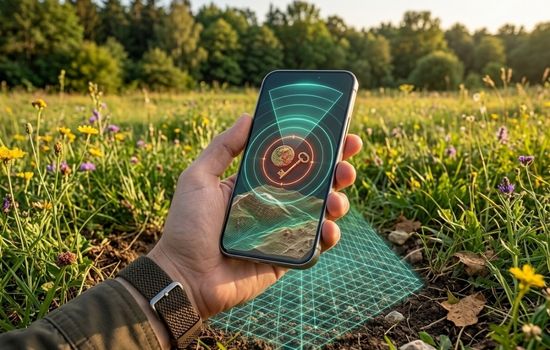
Integration with augmented reality could overlay detection information directly onto camera views, helping users visualize buried object locations relative to surface landmarks. This technology would dramatically simplify precise recovery operations.
Making the Most of Your Detection Experience 🌟
Approach metal detecting with patience and realistic expectations. Success rates improve with practice as you learn to interpret your specific app’s behavior and develop efficient search patterns for different scenarios.
Document interesting finds with photos and location notes, creating a detection journal that tracks your experiences and helps identify productive search areas. This record-keeping adds depth to the hobby beyond simple object recovery.
Join online communities of metal detecting enthusiasts to exchange tips, share discoveries, and learn advanced techniques. These groups offer valuable regional knowledge about productive locations, local regulations, and seasonal considerations affecting detection success.
Remember that metal detector apps represent tools rather than magic solutions. Their effectiveness depends on operator skill, environmental conditions, and object characteristics. Combine technological assistance with logical thinking, systematic searching, and persistence for best results.
Whether you’re recovering lost valuables, completing home improvement projects, or simply exploring a fascinating technological application, metal detector apps demonstrate how everyday smartphones contain remarkable hidden capabilities waiting to be unlocked through creative software development. 📱✨
