
Anúncios
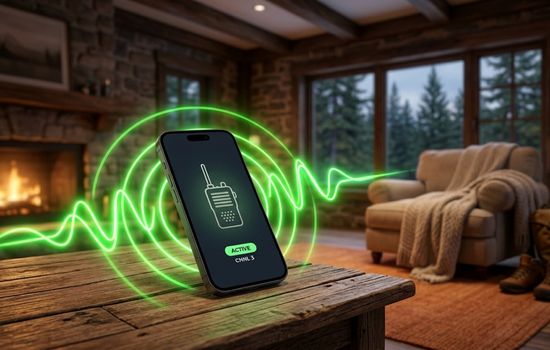
Walkie talkie apps have transformed how we communicate instantly, bringing the classic push-to-talk experience directly to our smartphones with remarkable clarity and global reach.
Remember the satisfying click of a walkie talkie button and the instant connection it provided? That nostalgic communication method has evolved into sophisticated mobile applications that combine the simplicity of push-to-talk with modern technology. Whether you’re coordinating a team at work, staying connected during outdoor adventures, or simply looking for a fun way to chat with friends, walkie talkie apps offer unique advantages over traditional calling and messaging.
Anúncios
These applications have become essential tools across various industries and personal scenarios. From construction sites where hands-free communication saves time, to hiking expeditions where cell service might be limited, the versatility of modern walkie talkie apps continues to expand. Let’s explore everything you need to know about these powerful communication tools. 📱
What Makes Walkie Talkie Apps Different from Regular Messaging
The fundamental distinction lies in the communication style itself. Unlike traditional messaging apps where you type and wait for responses, walkie talkie applications enable instant voice transmission with a single button press. This creates a more natural, conversational flow that mimics face-to-face interaction without the formality of phone calls.
Anúncios


The push-to-talk (PTT) functionality eliminates the need for dialing, waiting for someone to answer, or dealing with busy signals. You simply press, speak, and release. Your message transmits immediately to one person or an entire group simultaneously, making it incredibly efficient for time-sensitive communications.
Another critical difference is the ability to communicate over internet connections rather than relying solely on cellular networks or radio frequencies. This means your communication range extends globally, limited only by internet availability rather than physical distance or radio tower proximity.
Top Features That Define Quality Walkie Talkie Applications
Modern walkie talkie apps come packed with features that far exceed the capabilities of traditional two-way radios. Understanding these features helps you choose the right application for your specific needs.
Crystal Clear Audio Quality 🔊
The best applications utilize advanced audio compression and noise cancellation technology. This ensures your voice comes through clearly even in noisy environments like construction sites, busy streets, or crowded events. Some apps even adjust audio quality automatically based on your internet connection strength.
Channel Creation and Management
Creating dedicated channels for different groups or purposes keeps conversations organized. You might have one channel for family, another for work colleagues, and a third for your hiking group. Switching between channels takes seconds, and you can customize privacy settings for each one.
Many applications allow unlimited channel creation with customizable names, descriptions, and access permissions. Some channels can be public, allowing anyone to join, while others remain private and invitation-only.
Location Sharing Capabilities
GPS integration enables real-time location sharing with your contacts or group members. This proves invaluable during outdoor activities, emergency situations, or when coordinating meetups in unfamiliar locations. You can see exactly where your team members are positioned on an interactive map.
Text and Multimedia Support
While voice remains the primary communication method, quality apps also support text messages, photos, and location pins. This versatility ensures you can communicate effectively regardless of your situation—whether you need to stay quiet in a meeting or send visual information.
Industry Applications: Who Benefits Most from Walkie Talkie Apps
The practical applications span numerous professional and personal scenarios. Here’s how different groups maximize these tools:
Construction and Event Management Teams
Coordinating large teams across expansive job sites or event venues becomes seamless. Supervisors can instantly communicate with specific workers or broadcast messages to everyone simultaneously. The hands-free operation allows team members to continue working while staying connected.
Security and Safety Personnel
Security teams rely on instant communication to respond quickly to incidents. Walkie talkie apps provide the immediate connection security professionals need while offering better range than traditional radios and the ability to review message history.
Outdoor Enthusiasts and Adventure Groups 🏔️
Hikers, campers, skiers, and mountain bikers use these apps to maintain group cohesion on trails. Even when cellular service becomes spotty, many apps function on minimal bandwidth or offer offline capabilities through Bluetooth or local WiFi networks.
Hospitality and Retail Operations
Restaurant staff, hotel teams, and retail employees communicate efficiently across different floors or departments. Managers can check inventory status, request assistance, or coordinate customer service without leaving their current location.
Family Coordination and Safety
Parents use walkie talkie apps to stay connected with children during outings to theme parks, shopping centers, or neighborhood activities. The simplicity of push-to-talk makes it accessible even for younger users who might struggle with traditional phone interfaces.
How to Choose the Right Walkie Talkie App for Your Needs
With numerous options available, selecting the ideal application requires evaluating your specific requirements against available features. Consider these factors during your decision-making process:
User Base and Compatibility
The most feature-rich app becomes useless if your contacts don’t use it. Research which applications your colleagues, friends, or team members already prefer. Cross-platform compatibility between iOS and Android devices ensures everyone can participate regardless of their smartphone choice.
Connection Requirements
Evaluate whether you need internet-based communication, local network functionality, or Bluetooth capabilities. Some apps work exclusively through internet connections, while others offer multiple connection methods for greater flexibility in various environments.
Privacy and Security Features 🔒
For professional or sensitive communications, encryption becomes essential. Look for apps offering end-to-end encryption, secure channels, and robust privacy controls. Some applications provide enterprise-grade security features suitable for business environments with strict data protection requirements.
Battery Consumption
Continuous operation can drain smartphone batteries quickly. Quality applications optimize battery usage through efficient coding and smart connectivity management. Check user reviews specifically mentioning battery performance during extended use.
Audio Customization Options
The ability to adjust audio settings improves communication quality in different environments. Look for apps offering volume control, audio effects, noise suppression, and voice activation options that reduce background interference.
Setting Up Your First Walkie Talkie App Experience
Getting started with walkie talkie applications is straightforward, but optimizing your setup ensures the best experience from day one.
Installation and Initial Configuration
Download your chosen application from the official app store. During initial setup, you’ll typically create an account using your phone number or email address. Some apps require verification steps to ensure security and prevent spam accounts.
Grant necessary permissions when prompted, particularly microphone access, location services (if needed), and notification permissions. These enable core functionality and ensure you receive alerts when someone tries to contact you.
Creating Your First Channel
Start by creating a private channel for testing purposes. Invite one or two trusted contacts to experiment with the interface without worrying about bothering larger groups. Test different features like voice quality, text messaging, and location sharing to understand the app’s capabilities.
Once comfortable, create channels for your primary communication needs. Use descriptive names that clearly identify each channel’s purpose, making it easy to select the right one quickly.
Optimizing Audio Settings
Spend time adjusting audio settings to match your environment and preferences. Test your microphone sensitivity—too high picks up excessive background noise, while too low might miss parts of your speech. Many apps include audio testing features that help you find the optimal configuration.
Best Practices for Effective Walkie Talkie Communication
Maximizing the effectiveness of walkie talkie apps involves more than just pressing a button. Following established communication protocols enhances clarity and prevents confusion.
Clear Speaking Techniques 🎤
Speak clearly and at a moderate pace. Unlike phone calls where conversation flows naturally back and forth, push-to-talk requires more deliberate communication. Pause briefly after pressing the button before speaking to ensure the transmission begins properly and your first words aren’t cut off.
Keep messages concise and focused. Long monologues make it difficult for recipients to process information and prevent others from responding. Break complex information into shorter segments, allowing for acknowledgment and questions between transmissions.
Establishing Communication Protocols
For group channels, simple protocols prevent confusion. Consider implementing basic rules like identifying yourself before speaking in large groups, using phrases like “over” to indicate you’ve finished speaking, and acknowledging important messages with brief confirmations.
Respecting Channel Etiquette
Remember that everyone in a channel hears your transmissions. Avoid unnecessary chatter that clutters communication channels, especially in professional settings. Keep personal conversations in private channels and reserve group channels for relevant information.
Managing Notifications Wisely
Customize notification settings to prevent disruption during meetings, sleep hours, or focused work time. Most apps allow channel-specific notification preferences, so you can prioritize urgent channels while muting less critical ones during specific periods.
Troubleshooting Common Walkie Talkie App Issues
Even the best applications occasionally experience difficulties. Understanding common problems and their solutions keeps your communication flowing smoothly.
Audio Quality Problems
If recipients report choppy, distorted, or unclear audio, first check your internet connection speed and stability. Voice transmission requires consistent bandwidth, and poor connectivity directly impacts audio quality. Switch from cellular data to WiFi when possible for more reliable performance.
Examine your microphone for physical obstructions like phone cases or screen protectors that might muffle sound. Clean your microphone opening gently with a soft brush to remove dust or debris that accumulates over time.
Connection Failures
When the app fails to connect, verify your internet connection is active and functioning. Toggle airplane mode on and off to reset network connections. If problems persist, restart the application or your entire device to clear temporary glitches.
Check whether the app requires updates. Developers frequently release patches addressing connectivity issues and improving stability. Keeping your application current ensures optimal performance and access to the latest features.
Battery Drain Issues 🔋
Excessive battery consumption often results from background operation and constant connectivity. Many apps include battery-saving modes that reduce power consumption by adjusting connection frequency or limiting background activity. Enable these features when battery preservation becomes priority.
Close the application completely when not needed for extended periods rather than leaving it running continuously in the background. Modern smartphones allow quick app switching, so reopening when needed takes only seconds.
Privacy Considerations and Security Tips
Protecting your communications and personal information requires awareness and proactive security measures when using walkie talkie applications.
Understanding Data Collection
Review the app’s privacy policy to understand what data gets collected and how it’s used. Reputable applications clearly explain their data practices, including whether conversations are recorded, how long data is retained, and whether information is shared with third parties.
Securing Your Channels
Always use strong passwords for channel access when creating private groups. Avoid using easily guessable information like birthdays or common words. Enable any available two-factor authentication features to add an extra security layer.
Regularly review channel membership lists and remove users who no longer need access. This prevents unauthorized individuals from listening to sensitive conversations after their participation is no longer necessary.
Protecting Location Information
Be mindful when sharing location data, especially in public channels. While location sharing proves valuable for coordination, broadcasting your position to unknown individuals creates potential safety risks. Limit location sharing to trusted contacts and private channels.
Advanced Features Worth Exploring
Once you’ve mastered basic functionality, exploring advanced features unlocks additional communication potential and convenience.
Voice-Activated Transmission
Some applications offer voice-activated (VOX) mode, which automatically transmits when you speak without requiring button presses. This truly hands-free operation benefits situations where physical button interaction proves difficult or impossible, though it requires careful sensitivity adjustment to prevent accidental transmissions from background noise.
Message Recording and Playback ⏯️
Quality apps automatically save transmitted messages temporarily, allowing recipients to replay missed communications. This feature ensures important information doesn’t get lost if someone was momentarily distracted or in a noisy environment when the message arrived.
Integration with Other Platforms
Advanced applications integrate with other communication tools and platforms, allowing unified communication management. Some connect with dispatch systems, emergency alert networks, or business communication suites, creating comprehensive communication ecosystems.
Custom Alert Sounds
Personalizing alert sounds for different channels or contacts helps you immediately identify the source of incoming messages without checking your phone. Assign distinctive tones to urgent channels ensuring you never miss critical communications.
The Future of Push-to-Talk Communication Technology
Walkie talkie apps continue evolving, incorporating emerging technologies that enhance functionality and user experience. Understanding these trends helps you anticipate future capabilities and make informed choices about communication tools.
Artificial Intelligence Integration
AI-powered features are beginning to appear in communication apps, offering capabilities like automatic language translation for multilingual teams, intelligent noise cancellation that identifies and removes specific background sounds, and voice transcription that converts spoken messages into searchable text.
Enhanced Emergency Features 🚨
Developers increasingly focus on emergency communication capabilities, including automatic location broadcasting during distress situations, integration with emergency services, and dedicated panic buttons that simultaneously alert multiple parties and services.
Improved Offline Functionality
Future applications will likely offer expanded offline capabilities through mesh networking technologies, allowing devices to communicate directly with nearby users even without internet connectivity. This creates resilient communication networks for remote areas or emergency situations where infrastructure fails.
Virtual Reality and Augmented Reality Integration
As VR and AR technologies mature, walkie talkie apps will integrate spatial audio features that position voices based on virtual locations, creating more immersive and intuitive communication experiences for specialized applications like training simulations or collaborative design work.
Making Walkie Talkie Apps Part of Your Daily Routine
Successfully integrating these applications into your daily life requires intentional habit formation and thoughtful implementation strategies.
Start small by using the app consistently with a core group rather than attempting to convert all your contacts simultaneously. As you demonstrate the benefits through efficient coordination and quick problem-solving, others naturally become interested in joining.
Identify specific scenarios where push-to-talk communication offers clear advantages over other methods. Perhaps coordinating family logistics, managing project teams, or staying connected during recreational activities. Focus on these use cases first, allowing success to build momentum for broader adoption.
Combine walkie talkie apps with other communication tools rather than viewing them as replacements. Each method has optimal use cases—instant voice for urgent coordination, email for detailed documentation, and messaging for non-urgent updates. Using the right tool for each situation maximizes overall communication effectiveness.
Regular check-ins with your communication group ensure everyone remains comfortable with the technology and understands best practices. Brief refresher sessions address questions and introduce new features as they become available.
Transforming Team Communication One Press at a Time
Walkie talkie applications represent a powerful blend of nostalgic simplicity and modern technological capability. They remove communication barriers that slow down coordination, enabling teams to operate with unprecedented efficiency while maintaining the personal touch of voice interaction. Whether managing complex work projects, coordinating outdoor adventures, or simply staying connected with loved ones, these apps offer communication solutions that adapt to your specific needs. 💬
The instant nature of push-to-talk creates a sense of presence and immediacy that strengthens connections between users. Unlike the isolation of text messaging or the formality of scheduled calls, walkie talkie apps create spontaneous, natural interactions that mirror face-to-face conversations. This communication style builds stronger relationships and more cohesive teams through constant, effortless connection.
As you explore walkie talkie applications, remember that effective communication extends beyond technology—it requires thoughtful implementation, clear protocols, and commitment from all participants. The apps provide the infrastructure, but you create the communication culture. Invest time in learning features, establishing guidelines, and encouraging adoption. The efficiency gains, improved coordination, and enhanced connections make this investment worthwhile many times over.
The evolution of walkie talkie technology from handheld radios to sophisticated smartphone applications demonstrates how classic communication methods can be reimagined for modern contexts. By combining proven push-to-talk simplicity with internet connectivity, location services, and multimedia capabilities, today’s applications offer versatility impossible just a decade ago. This convergence of old and new creates tools that feel familiar yet deliver cutting-edge functionality, making them accessible to users across all technical skill levels and applicable to an expanding range of personal and professional scenarios.
