

Anúncios
Google Maps has revolutionized how we navigate the world, transforming our smartphones into powerful GPS devices that guide us through unfamiliar streets, help us discover new places, and connect us with local businesses effortlessly.
Whether you’re planning a road trip across the country, searching for the nearest coffee shop, or exploring a new city abroad, the Google Maps application has become an indispensable companion for millions of users worldwide. Its intuitive interface and comprehensive features make navigation simpler than ever before.
Anúncios
From real-time traffic updates to street-level imagery, this powerful tool offers far more than basic directions. Let’s dive deep into everything you need to know about the Google Maps app and how it can enhance your daily life and travel experiences.
🗺️ Why Google Maps Remains the Navigation King
Since its launch in 2005, Google Maps has consistently evolved to meet user needs. The application dominates the navigation market with over 1 billion monthly active users, and for good reason. Its accuracy, comprehensive coverage, and constant innovation keep it ahead of competitors.
Anúncios
The app’s success stems from Google’s massive investment in mapping technology and data collection. Street View cars have traveled millions of miles, capturing imagery from virtually every corner of the globe. This extensive data collection ensures that whether you’re in Manhattan or a remote village in Asia, Google Maps likely has you covered.
What sets this navigation app apart is its ability to integrate multiple data sources. It combines satellite imagery, Street View photography, real-time traffic data from users, business information, and public transit schedules into one seamless experience. This holistic approach creates a navigation ecosystem that’s hard to beat.


📱 Essential Features That Make Daily Life Easier
The Google Maps application packs numerous features that extend well beyond simple point-to-point navigation. Understanding these capabilities can dramatically improve how you use the app in your everyday routine.
Real-Time Traffic Intelligence
One of the most valuable features is real-time traffic monitoring. The app analyzes data from millions of users to predict traffic patterns and suggest alternative routes. If an accident occurs on your usual commute, Google Maps instantly recalculates your route to avoid delays.
The color-coded system makes understanding traffic conditions intuitive. Green indicates smooth traffic flow, yellow suggests moderate congestion, red signals heavy traffic, and dark red warns of standstill conditions. This visual representation helps you make informed decisions about when to leave and which route to take.
Explore Nearby Places and Hidden Gems 🌟
The “Explore” feature transforms Google Maps into a discovery tool. Tap the search bar, and you’ll find curated suggestions for restaurants, attractions, events, and activities near your current location. This feature is particularly useful when traveling to unfamiliar areas.
User reviews and ratings provide valuable insights before you visit any establishment. With millions of user-generated reviews, photos, and ratings, you can make informed decisions about where to eat, shop, or visit. The app also highlights popular times, so you can avoid crowds during peak hours.
Offline Maps for Uninterrupted Navigation
Traveling to areas with poor connectivity? Download offline maps before your trip. This feature allows you to access maps, search for locations, and get driving directions even without an internet connection. Simply select an area on the map and download it to your device.
Offline maps are particularly valuable for international travelers who want to avoid expensive roaming charges. Just remember to download maps while connected to Wi-Fi, as these files can be quite large depending on the area you’re saving.
🚗 Navigation Modes for Every Journey
Google Maps offers multiple navigation modes tailored to different transportation methods. Each mode provides optimized routing and relevant information for your chosen travel style.
Driving Navigation
Driving mode provides turn-by-turn voice guidance, lane assistance, and real-time traffic updates. The app alerts you about speed cameras, accidents, and road closures. It even suggests departure times based on historical traffic data to help you arrive on schedule.
The interface displays your current speed, estimated arrival time, and distance remaining. You can add multiple stops to your route, making it perfect for running errands or planning complex journeys with several destinations.
Public Transit Guidance 🚌
Public transportation mode is a game-changer for urban commuters. The app integrates schedules for buses, trains, subways, and even ferries in hundreds of cities worldwide. It shows departure times, platform information, and walking directions to and from stations.
Live transit updates notify you of delays or service changes, helping you adjust your plans accordingly. The app can also compare different routes, showing which combination of transit options gets you to your destination fastest or with the fewest transfers.
Walking and Cycling Routes
Pedestrian mode highlights walking paths, pedestrian-only areas, and estimated walking times. It’s ideal for exploring cities on foot or finding the quickest walking route between locations.
Cycling mode considers bike lanes, bike-friendly roads, and elevation changes when calculating routes. This feature helps cyclists avoid dangerous roads and find the most efficient paths that balance distance with safety and terrain difficulty.

🌍 Advanced Features for Power Users
Beyond basic navigation, Google Maps includes sophisticated features that power users and frequent travelers will appreciate. These tools enhance the app’s functionality and make it even more versatile.
Timeline and Location History
The Timeline feature creates a private record of places you’ve visited. This personal map of your travels can help you remember when you visited specific locations, how long you stayed, and the routes you took. It’s particularly useful for business travelers tracking expenses or anyone who wants to document their adventures.
Your location history remains private and can be edited or deleted at any time. You control this data entirely, and Google provides clear settings to manage your privacy preferences.
Street View and Indoor Maps
Street View offers panoramic, street-level imagery of millions of locations worldwide. This feature is incredibly useful for previewing destinations before you arrive, finding building entrances, or virtually exploring places you’re curious about.
Indoor maps extend Google Maps’ usefulness inside large buildings like airports, shopping malls, stadiums, and museums. You can see floor plans, locate specific stores or gates, and even get directions within these complex structures.
Live Location Sharing 📍
Share your real-time location with friends or family members for a specified duration. This feature is perfect for coordinating meetups, ensuring loved ones know you’ve arrived safely, or helping someone find you in a crowded area.
You maintain complete control over who sees your location and for how long. You can stop sharing at any moment, ensuring your privacy remains protected while enjoying the convenience of location sharing.
💡 Pro Tips to Maximize Your Google Maps Experience
Experienced users have discovered clever ways to leverage Google Maps beyond its obvious features. These tips can help you become a navigation expert.
Save and Organize Your Favorite Places
Create custom lists to organize places you want to visit or recommend. You might have lists for “Best Coffee Shops,” “Weekend Getaway Ideas,” or “Client Meeting Locations.” These lists sync across devices and can be shared with others.
Starred locations appear on your map with a gold star, making it easy to find your saved places quickly. This organizational system turns Google Maps into a personalized travel planning tool.
Contribute to the Community
Become a Local Guide by contributing reviews, photos, and edits to Google Maps. Your contributions help millions of users make better decisions, and Google rewards active contributors with perks like early access to new features and increased cloud storage.
Even simple contributions like answering questions about businesses or confirming business hours make the app more accurate for everyone. It’s a way to give back to the community while improving the service you use regularly.
Voice Commands for Hands-Free Operation 🎤
While navigating, use voice commands to perform various actions without touching your phone. Say “Hey Google” followed by commands like “avoid tolls,” “show traffic,” “what’s my ETA,” or “find gas stations along my route.” This hands-free operation keeps your attention on the road.
Voice commands also work for starting new navigations, searching for destinations, or adding stops to your current route. This functionality makes Google Maps safer and more convenient to use while driving.
🔒 Privacy and Data Management
Google Maps collects location data to provide personalized recommendations and improve navigation accuracy. However, the company provides extensive controls over your data and privacy settings.
You can pause location history collection, automatically delete location data after a specified period, or delete your entire history manually. The app offers transparency about what data is collected and how it’s used, giving you informed control over your privacy.
Incognito mode allows you to use Google Maps without your activity being saved to your account. This temporary privacy mode is useful when you don’t want certain searches or destinations appearing in your history or affecting your recommendations.
🆚 How Google Maps Compares to Alternatives
While several navigation apps compete for users’ attention, Google Maps maintains its leading position through comprehensive features and reliable performance. Apple Maps has improved significantly but still lacks Google’s extensive business information and global coverage.
Waze, which Google owns, focuses specifically on crowdsourced traffic information and social features. It excels at real-time traffic updates but doesn’t offer the breadth of features found in Google Maps. Many users keep both apps installed, using Waze for daily commutes and Google Maps for general navigation and discovery.
Other alternatives like HERE WeGo or MapQuest serve niche audiences but don’t match Google Maps’ overall functionality, user base, or data accuracy. The network effect makes Google Maps stronger as more people use it—more users mean better traffic data and more comprehensive business information.
🚀 Future Innovations Coming to Google Maps
Google continuously invests in artificial intelligence and augmented reality to enhance the navigation experience. Live View, which uses AR to overlay directions onto your camera view, represents the future of pedestrian navigation. This technology makes it nearly impossible to head in the wrong direction when exiting a subway station or leaving a building.
Eco-friendly routing is another recent innovation that suggests routes optimized for fuel efficiency rather than just speed. This feature helps reduce carbon emissions while potentially saving money on fuel costs.
The company is also developing more detailed indoor navigation, improved accessibility features for people with disabilities, and enhanced integration with other Google services. Machine learning improvements promise even more accurate traffic predictions and personalized recommendations based on your preferences and habits.
📲 Getting Started with Google Maps Today
Installing and setting up Google Maps takes just minutes. The app is free, available on both Android and iOS devices, and requires only a Google account for full functionality. Once installed, grant location permissions to enable navigation features.
Take time to explore the settings menu and customize the app to your preferences. Adjust map details, enable dark mode for nighttime use, choose your preferred voice for navigation, and set up location sharing preferences. These personalizations make the app work better for your specific needs.
Start with simple tasks like searching for nearby restaurants or getting directions home. As you become comfortable with basic features, gradually explore advanced capabilities like offline maps, custom lists, and voice commands. The learning curve is gentle, and the app’s intuitive design makes discovery natural.
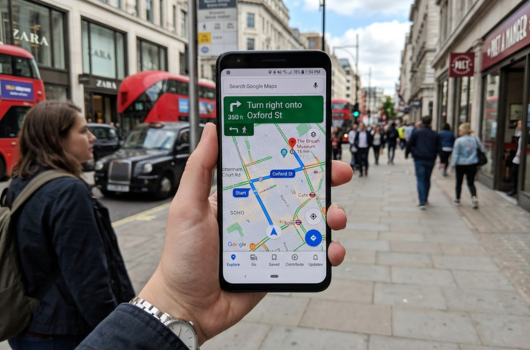
🎯 Making Google Maps Work for Your Lifestyle
The true power of Google Maps emerges when you integrate it into your daily routine. Commuters can use it to check traffic before leaving home and receive notifications about traffic delays on saved routes. Business travelers can organize client locations and navigate unfamiliar cities with confidence.
Families can share locations during outings to coordinate meetups or ensure children arrive safely at destinations. Food enthusiasts can discover new restaurants and build lists of places to try. Fitness enthusiasts can map running and cycling routes while tracking distance and elevation.
The application adapts to countless use cases, making it valuable regardless of your lifestyle or travel habits. Its versatility ensures that whether you’re a daily user or occasional traveler, Google Maps offers features that enhance your experience and simplify navigation challenges.
With billions of users worldwide relying on it daily, the Google Maps application has earned its reputation as an essential smartphone tool. Its combination of accurate navigation, comprehensive business information, real-time traffic data, and innovative features creates an unmatched navigation ecosystem. Whether you’re exploring your hometown or traveling abroad, this powerful app ensures you’ll never feel truly lost again. Download it today and discover how it can transform the way you navigate and explore the world around you.
